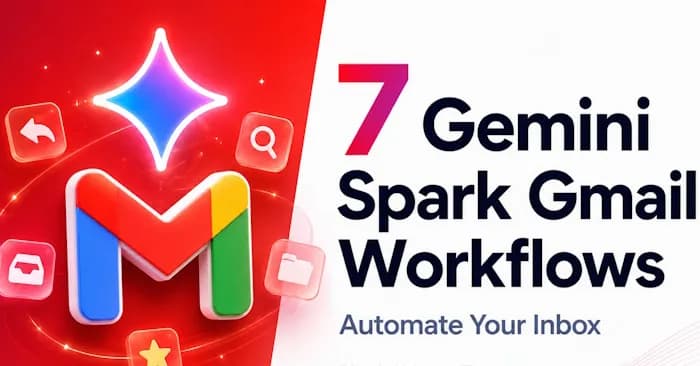
Trong môi trường làm việc hiện đại, việc sử dụng Gmail hàng ngày để trao đổi công việc là điều không thể tránh khỏi, đi kèm với đó là hàng loạt quy trình xử lý email phức tạp. Để giải quyết vấn đề này, người dùng có thể tận dụng công cụ Gemini Spark nhằm thiết lập các quy trình tự động hóa trực tiếp với tài khoản Gmail cá nhân hoặc doanh nghiệp.
Hệ thống Spark đảm nhận các tác vụ thủ công như đọc, tìm kiếm, tổng hợp dữ liệu và chuẩn bị thông tin, trong khi bạn vẫn giữ vai trò người kiểm duyệt cuối cùng để đưa ra quyết định hành động. Dưới đây là 7 luồng công việc (workflows) tối ưu cho ứng dụng Gmail trong Gemini Spark, hỗ trợ bạn xử lý mọi tình huống từ việc kiểm tra hộp thư đến việc theo dõi phản hồi và chuẩn bị tài liệu cho các cuộc họp quan trọng.
7 quy trình tự động hóa với Gmail trong Gemini Spark
Để bắt đầu thiết lập, người dùng cần truy cập vào giao diện Gemini và nhấn vào mục Spark hiển thị ở thanh điều hướng bên trái màn hình.

Tại giao diện chính, bạn tiến hành nhập nội dung câu lệnh mô tả chi tiết cho từng quy trình tự động hóa vào khung nhập liệu để hệ thống bắt đầu vận hành.

Trong quá trình trải nghiệm, nếu không còn nhu cầu sử dụng một luồng công việc nào đó, bạn chỉ cần chọn workflow đó, sau đó nhấn vào biểu tượng 3 chấm và chọn Delete để xóa bỏ hoàn toàn.

1. Tổng hợp email cần ưu tiên mỗi ngày
Giải pháp này giúp lọc bỏ sự hỗn loạn từ một hộp thư đến quá tải và chỉ tập trung hiển thị những thông điệp thực sự đòi hỏi sự quan tâm của bạn.
Thời gian vận hành: Diễn ra tự động vào lúc 7 giờ sáng mỗi ngày, từ thứ Hai đến thứ Sáu hằng tuần.
Yêu cầu hệ thống: Cấp quyền truy cập Gmail thông qua Connected Apps, cung cấp danh sách người gửi hoặc nhãn email ưu tiên, kèm theo các tiêu chí xác định tính khẩn cấp.
Cách thức hoạt động: Spark tiến hành quét các thư điện tử liên quan, cô đọng nội dung đáng chú ý, chỉ rõ các nhiệm vụ cần thực hiện, trích xuất thời hạn chót và sắp xếp trình tự ưu tiên.
Kết quả trả về bao gồm:
- Danh sách các thư cần xử lý ngay lập tức
- Các mốc thời hạn hoặc ngày tháng quan trọng
- Công việc đang chờ đối phương phản hồi
- Gợi ý hành động tiếp theo dành cho bạn
Để khởi tạo, bạn hãy tạo một tác vụ mới trong Gemini Spark và dán đoạn mô tả lệnh sau đây:
Every weekday morning at 7 AM, check my Gmail messages from the past 24 hours.

Focus only on messages that appear important because they include:

- A client, customer, partner, or vendor

- A deadline, meeting, invoice, proposal, question, or decision

- A thread where someone is waiting for my response

- Any Gmail label I use for priority messages

Ignore newsletters, promotions, receipts, social notifications, and automated updates unless they include a deadline, payment issue, meeting, client request, or specific action item.

Create a concise daily inbox priority brief with:

1. Top urgent emails, ranked by importance

2. Deadlines or dates mentioned

3. People waiting on me

4. Items I am waiting on from others

5. Recommended next actions

6. Anything that needs human review because the context is unclear

For each item, reference the original sender, subject line, and thread when possible so I can find the email quickly. Keep the brief short and useful. Do not send, archive, delete, forward, label, or modify any email unless I explicitly ask. Draft replies only if I request them after reviewing the brief.
2. Cảnh báo khi có email quan trọng
Nhận diện và thông báo ngay lập tức về các thư điện tử mang tính quyết định xuất hiện giữa hàng trăm thông báo đến mỗi ngày.
Thời gian vận hành: Kích hoạt ngay khi Gmail nhận được một thông điệp thỏa mãn điều kiện bộ lọc hoặc gửi từ đối tượng được chỉ định trước.
Yêu cầu hệ thống: Thiết lập bộ lọc Gmail, danh sách người gửi uy tín, nhãn phân loại hoặc quy tắc từ khóa tiêu đề.
Kết quả nhận được:
- Lý do khiến thông điệp này trở nên quan trọng
- Nhiệm vụ cụ thể dành cho bạn
- Mốc thời gian hoàn thành (Deadline)
- Đề xuất nội dung phản hồi sơ bộ nếu cần thiết
When I receive a Gmail message matching this filter: [describe sender, label, subject, or keyword filter], review the email and create an important email alert.

Only alert me if the message includes a real business reason to pay attention, such as a deadline, decision, client request, payment issue, meeting change, proposal, support problem, or high-priority sender. If the message does not appear important after review, mark it as "no action needed" and explain why in one sentence.

The alert should include:
1. Sender and subject line
2. Why this email may matter
3. The action requested from me
4. Any deadline, date, amount, meeting time, or decision mentioned
5. The recommended next step
6. A short draft reply only if a reply is clearly useful
7. A "verify before acting" note if the email references money, legal terms, sensitive information, or an external link

Reference the original Gmail thread in the output when possible. Keep the alert concise. Do not send, forward, archive, delete, label, or modify the email. If you create a reply, save it as draft text for my review only.
3. Theo dõi các email cần phản hồi
Chuyển hóa những chuỗi trao đổi bị lãng quên thành một danh sách theo dõi trực quan tích hợp nhắc nhở công việc.
Thời gian vận hành: Thiết lập chạy tự động theo định kỳ hàng ngày hoặc hàng tuần.
Yêu cầu hệ thống: Quyền truy cập ứng dụng thư, khoảng thời gian quét dữ liệu, nhãn phân loại như Khách hàng hoặc Bán hàng, kèm theo quy tắc nhắc nhở.
Kết quả trả về:
- Danh sách thư điện tử chưa có phản hồi
- Các cam kết công việc bạn đã hứa hẹn thực hiện
- Danh sách người đang chờ đợi phản hồi từ bạn
- Các bản nháp nội dung gợi ý để tiếp tục liên hệ (follow-up)
Every Friday at 9 AM, review my Gmail threads from the past 14 days and create a follow-up tracker.

Look for:
- Emails I sent that have not received a reply
- People who asked me for something and may still be waiting
- Promises I made, such as "I will send," "I will review," or "I will follow up"
- Open questions, proposals, invoices, approvals, or scheduling threads
- Deadlines or dates mentioned in the conversation

Ignore newsletters, promotions, receipts, and automated notification threads unless I personally replied or there is a clear business action item.

Create a concise follow-up tracker with:
1. Person or company
2. Original subject line
3. What the thread is about
4. Who is waiting on whom
5. Deadline or urgency level
6. Recommended next action
7. Suggested follow-up draft, if useful
8. A source reference to the original Gmail thread when possible

Separate the output into two sections: "People waiting on me" and "People I may need to follow up with." Do not send any follow-up automatically. Keep all drafts for human review and mark uncertain items as "needs review."
4. Trợ lý soạn email trả lời
Hỗ trợ người dùng soạn thảo các phản hồi chuẩn xác cho chuỗi thông điệp đang xử lý.
Thời gian vận hành: Người dùng chủ động kích hoạt khi cần thiết hoặc để hệ thống tự động nhận diện theo điều kiện.
Yêu cầu hệ thống: Chuỗi thông điệp cần xử lý, phong cách hành văn mong muốn, mục đích trao đổi và các giới hạn ràng buộc về giá cả, thời gian.
Kết quả trả về: Cung cấp một hoặc nhiều phương án bản nháp trả lời mô phỏng phong cách ngôn ngữ cá nhân.
Review this Gmail thread: [describe or select the thread].

First, summarize:
1. What the sender is asking for
2. Any dates, deadlines, prices, deliverables, or decisions mentioned
3. Any missing information I should confirm before replying
4. Any risk, promise, or sensitive detail I should review myself

Then draft three reply options:
- Short and direct
- Warm and helpful
- More detailed and professional

Use my tone: clear, friendly, concise, and not overly formal. Use only facts from the thread or information I provide. Do not invent commitments, pricing, deadlines, policies, availability, discounts, guarantees, or approvals. If something is unclear, ask a question instead of guessing.

Reference the original email/thread where possible. Do not send the email. Do not save a Gmail draft unless I explicitly approve one of the options.
5. Tóm tắt thông tin khách hàng tiềm năng
Chuyển hóa các yêu cầu dịch vụ đầu vào thành hồ sơ tóm tắt khách hàng kèm theo định hướng xử lý tiếp theo.
Thời gian vận hành: Tự động chạy khi có thông điệp mới liên quan đến dịch vụ, biểu mẫu đăng ký hoặc yêu cầu báo giá.
Yêu cầu hệ thống: Bộ lọc nhận diện khách hàng, tiêu chí đánh giá tiềm năng, dữ liệu dịch vụ/giá cả.
Kết quả trả về:
- Thông tin cốt lõi của khách hàng
- Đề xuất bước xử lý tiếp theo
- Các dữ liệu còn thiếu cần bổ sung
- Bản nháp thông điệp phản hồi
When a new Gmail message arrives that appears to be a business inquiry, proposal request, client intake form, or new lead notification, create a lead intake summary.

Check the relevant Gmail message and include:
1. Sender name and company
2. What they are asking for
3. Service, product, or project mentioned
4. Budget, timeline, location, or deadline if included
5. Missing information I need before deciding
6. Recommended next step
7. Lead priority: high, medium, or low, with a short reason
8. Draft reply that asks only for the missing information or suggests the next step

Keep the summary concise and reference the original email/thread. Do not promise availability, pricing, results, timelines, refunds, guarantees, or custom terms unless that information appears in my approved source materials. Do not send anything without my approval. If the inquiry may be spam, low-fit, or missing key details, flag that clearly.
6. Tổng hợp các bản tin và cập nhật
Đồng bộ hóa hàng loạt thông báo cập nhật phân tán thành một tài liệu cô đọng, dễ theo dõi.
Thời gian vận hành: Thiết lập tự động định kỳ hàng ngày hoặc hàng tuần.
Yêu cầu hệ thống: Danh sách nguồn theo dõi như bản tin (newsletter), thông báo từ đối thủ hoặc tin tức chuyên ngành.
Kết quả trả về: Bản tin tổng hợp bao gồm các điểm tin quan trọng, ý nghĩa đối với doanh nghiệp và cơ hội phát triển công việc.
Every Friday at 10 AM, review Gmail messages from the past 7 days with these labels or senders: [add newsletter labels, AI update senders, product update senders, competitor email labels].

Create a concise newsletter and AI update digest with:
1. The 5 most important updates
2. Why each update matters to my business
3. Any deadlines, launches, pricing changes, feature changes, or events mentioned
4. Content ideas or business opportunities I may want to act on
5. Links or references to the original email/thread when possible
6. A "skip" section for messages that looked interesting but were not worth acting on

Ignore promotional filler, repeated announcements, and anything that is not useful. Separate facts from your recommendations. Do not unsubscribe, archive, delete, forward, or reply to any message. Keep the digest practical and under 700 words.
7. Chuẩn bị trước cuộc họp
Hệ thống hóa các dữ liệu trao đổi phân tán thành một bản tóm tắt hoàn chỉnh phục vụ chuẩn bị cho các cuộc họp sắp tới.
Thời gian vận hành: Kích hoạt trước thời điểm diễn ra sự kiện hoặc theo lịch biểu trên Google Calendar.
Yêu cầu hệ thống: Lịch họp trực tuyến, danh sách người tham gia, chuỗi thông điệp liên quan và tài liệu bổ trợ từ Drive hoặc Docs.
Kết quả trả về:
- Tóm tắt các chuỗi thông điệp trao đổi
- Danh sách câu hỏi chưa được giải quyết
- Các quyết định cần thông qua
- Nội dung cần theo dõi sau cuộc họp
Before my upcoming meeting with [person/company], check the relevant Google Calendar event and Gmail threads with the attendees.

Focus on the most relevant Gmail threads from the past 90 days unless I specify a different time period. If there are many threads, prioritize recent messages, direct replies from attendees, and emails that mention the meeting topic, project name, proposal, deadline, or deliverable.

Create a meeting prep brief that includes:
1. Meeting title, time, and attendees
2. Short summary of the most relevant Gmail threads
3. Decisions already made
4. Open questions
5. Promises or follow-up items from previous emails
6. Any deadlines, deliverables, or documents mentioned
7. Suggested agenda for the meeting
8. Suggested follow-up email draft only if useful
9. Items I should verify before the meeting

Reference the original Gmail thread or subject line when possible. Do not send the follow-up email. Do not change the calendar event. Keep the brief concise enough to review in 5 minutes.
Nhận định từ chuyên gia kỹ thuật của TTC Việt Nam
Việc ứng dụng các công cụ tự động hóa thông minh như Gemini Spark vào nền tảng email doanh nghiệp đang trở thành xu hướng tất yếu giúp tối ưu hóa nguồn lực vận hành. Dưới góc nhìn chuyên gia từ TTC Việt Nam, các giải pháp tích hợp AI không chỉ giúp tiết kiệm thời gian phân loại thông tin thủ công mà còn hạn chế tối đa rủi ro bỏ lỡ các thông điệp quan trọng từ đối tác và khách hàng. Tuy nhiên, các doanh nghiệp cũng cần lưu ý thiết lập phân quyền bảo mật chặt chẽ và kiểm soát kỹ lưỡng các bản nháp trước khi hệ thống thực thi bất kỳ phản hồi tự động nào nhằm đảm bảo tính chuyên nghiệp và bảo mật thông tin tuyệt đối.
Để được tư vấn chi tiết về các giải pháp mạng, hạ tầng viễn thông và tối ưu hóa hệ thống công nghệ thông tin cho doanh nghiệp, quý khách hàng vui lòng liên hệ ngay với TTC Việt Nam qua website ttcvn.net để nhận hỗ trợ nhanh chóng nhất từ đội ngũ chuyên gia hàng đầu.